
Guide
How to Write and Optimise H1 Tags for SEO

Introduction
It sucks working hard to create a new landing page full of great content, only to see the page fail to get the traffic you were hoping for. Something that can help you bring more visitors to your site is having an optimised H1 tag.
An H1 tag for SEO doesn’t mean a lot to most people. But to search engines, they are an important piece of your landing page.
Having a clear and well written H1 helps search engines understand the topic of the page. A good H1 also assures readers they are in the right place.
Recently, I’ve found examples of poor SEO practice used on landing pages, and it’s made me think that perhaps people need help to understand and optimise H1 tags effectively.
In this article, you will learn what to avoid as well as what to do when creating your H1 tags. You will also learn how to research and write your own search engine optimised page H1 headers, using only competitor research and some investigative nuance.
Side note: I’ll flip between saying “tag” and “header” throughout this page, they’re interchangeable and I mean the same thing.
What to avoid with SEO H1 tags
Let’s first cover what inspired this page.
I recently worked for a company on their search engine optimisation. One of the first things I did was run an audit on their site. The site audit quickly found that nearly all of their blog pages had multiple H1 headers. I looked at the landing pages on their editing tool and found that every header was an H1 header, and all the paragraphs were H2s.
I asked the design team who had made the pages why they chose this “unique” heading structure. They looked at me blankly and asked, “Isn’t that what you’re supposed to do?”.
This is how most website themes and well-meaning designers ship a page. Choosing headers by style and not structure.
To understand why this isn’t best practice when it comes to SEO, I want you to imagine a book. Picture the front cover with the title written proudly on the front. It clearly tells you the subject of the book. You feel confident this book is on the exact topic you want to read. You flick the pages through your fingers until you find the first chapter. But when you get there, you find another book cover, with a different title. This title is kind of similar to the first, but not exactly the same. You now question whether this book is what you’re looking for after all, and wonder, “Is the book about this or about that?”.
That’s what happens when a search engine finds multiple H1 headers on a page. The main topic appears diluted, with no real outline, and loses some of its relevance. Search engines don’t penalise you for having multiple H1 tags, and in some rare cases it’s useful. But as a rule of thumb, give each page only one H1 header.
What is an H1 tag
The H1 tag is the visible on-page heading you see at the top of the page (so for this page it’s “How to Write and Optimise H1 Tags for SEO”). It tells the person reading the page what the topic is about.
On your CMS (Content Management System), you will likely see a text box called “Page Title”, or “SEO Title”, or something very similar. It’s important to know that the H1 and the title tag are not the same thing.
Don’t assume that your CMS has added an H1 heading to your page because you have added a page title. Some themes will copy the page title into the H1, and others will leave you with a title tag and no H1.
The title tag lives in your landing page’s HTML head section, and you won’t see it on your page. The title tag is what you see in your browser tab, and is also the blue link headline that appears on a search engine results page (referred to by SEOs as a “SERP”). The title tag in your landing code looks like this: <title>Title here</title>.
On your landing page, in the HTML code, the H1 tag looks like this: <h1>Heading here</h1>. They can use similar wording or phrases when you write them, in fact, it’s a good idea to use your target keyword in both, but they are two different elements doing two different things.
When you edit your page, make sure you check:
- The Page Title / SEO Title text box. This controls the browser tab text and search link text.
- The header at the top of your page’s content. This should be the one and only H1 header on your page.
Once you have added your H1 header, make sure to use H2s and H3s for the rest of your page underneath. I will go further into how to structure your page headers in a future post.
Duplicate H1 headers
You should also avoid using the same H1 header on two separate pages. Because the H1 highlights the page topic, having two URLs with the same H1 tells search engines that both pages are about the same thing. If your page content also heavily overlaps, then search engines may decide to only pick one of them to rank, or even worse, use neither.
It’s not so much a “duplicate penalty” as such. It’s about clarity. If one H1 could work unchanged on both pages, then you should combine the two pages into one. Or, give each page a tighter angle and a unique H1 tag.
Keyword Stuffing
We’re not in 2010 anymore. Don’t stuff your H1 header with keywords. If your page topic is about air fryer recipes, that’s all you need to say, with a little context added for clarity. Something like: “11 Easy Air Fryer Recipes for Quick Weeknight Meals”.
Don’t cram keywords into your H1, and make it say something like: “The Best Air Fryer Recipes Ever! These Air Fryer Recipes are so Good, They Put all Other Air Fryer Recipes to Shame.”
Also, don’t make your H1 super long. All you need is a short sentence, max. The H1 I wrote for this page is as long as you need. Any more and your H1 stops being a header and starts being body copy.
How to set up an H1 tag for SEO
In the main body area of your page editor (where the bulk of your written text goes, like what you’re reading right now!), you will see options to format text into headers, usually a button labelled “headings”. Simply highlight the text you want to use as the on-page header, and select H1 on the list of choices presented when you click “headings”.
Usually, on the far right of the same row where you find “Headings”, you will find a button called “Source Code”.
When you click this button, the text will change and display the HTML version of your content. Here, you will see things like your paragraph HTML tags (<p></p>), like so: <p>Text goes between the tags here</p>.
You’ll find similar for additional heading tags, like H2, H3, etc. (<h2>Header here</h2>, swapping h2 for h3 to add H3 headers, and so on).
What you are checking for here in the source code is that the text you just highlighted and made your ‘Heading 1’ now has H1 tags either side of the text (i.e. <h1>Header Here</h1>).
Going into the basics of HTML is beyond the scope of this page. But remember, one H1 header at the top of your page is all you need to optimise your content for relevance, clarity and page hierarchy (i.e. most to least important page sections). Search engines can cope with your page having multiple H1s, but sticking to one and using H2s and H3s etc is considered SEO best practice.
How to write an H1
So we’ve established that you only need one H1 header for your page. Great. But how exactly do you create a search engine optimised H1 tag?
I’ll use this article as an example to explain my process for optimising header tags for SEO.
Like I touched on in the introduction, I saw a need for a page to be written explaining how to optimise H1 headers. If there is a need for a page, there must already be people searching online for answers for that very need. So what are they searching? What do they type in the text box of a search engine or AI to get the information they need? Well, the initial answer that gets the ball rolling is, what would you type into a search engine if you were looking for answers?
So to begin my research for this page I entered, “How do I optimise a H1 tag for SEO?”
It’s good to see if there are already pages that exist for your topic that answer the very question you’re thinking of creating content for.
If there is competition then don’t fret. It’s a good sign. It means there is demand out there for what you’re thinking of writing.
So why are we looking at what others have done?
You want to read the titles and pages that your competition has written in order to get a feel for what they cover on their pages. Chances are it’s exactly what your audience wants, and there’s a reason they show up in the top results.
By researching and understanding what your competition has written for their header tags, you find any nuances or deeper levels that readers are also curious about and want to know.
Let’s say that during my initial search, “How do I optimise a H1 tag for SEO?”, I notice there are results on page 1 using that query for their headers. But, the first three positions go a bit deeper, and have the title, “How to write and keyword optimise a H1 tag for SEO.”
My original search query didn’t include anything about keyword optimisation for header tags. But it appears that is what searchers are also interested in when they search this query, and is why these pages rank in the first three spots. So it must be an important factor. This is something you should take into consideration when writing your header tags.
Just make sure you have thorough on-page content to back up your H1 if you include extra topics in your header. Don’t add something to your H1 tag purely to rank higher if you don’t have the content on your page to back it up. Search engines are clever, and won’t hesitate to drop your ranking if they suspect you are trying to game the system.
After reading the header examples from your competitor research, you will now be in a good place to brainstorm and create your SEO H1 header.
From here you could do further keyword research, and in some cases I would encourage that to give yourself further proof you’re on the right track. But keyword research is beyond the scope of this page, so I will come back to that another time.
For now, let’s say you have brainstormed some ideas for your new page header, and you have a first draft that you’re happy with. Something like, “H1 Tags: How to Write and Optimise your H1 for Maximum Traffic”. How do you know if that is a suitable header for your own page in order to compete with the pages you found during your research?
A good place to start is entering your new H1 header into a search engine and analysing the search results page.
If you see the same or similar pages that appeared during your research for your new H1, then you know you’re in the right ballpark with your H1. That does not mean your header will rank straight out of the box. It means the H1 header you wrote maps to the topic of your page, and that you’re off to a good start. Continue to tighten your H1 header until you’re happy with what you’ve written, and it’s specific to your page. Then, write the body copy so it delivers the promise your heading has made.
Key takeaways
Things to remember for your next landing page:
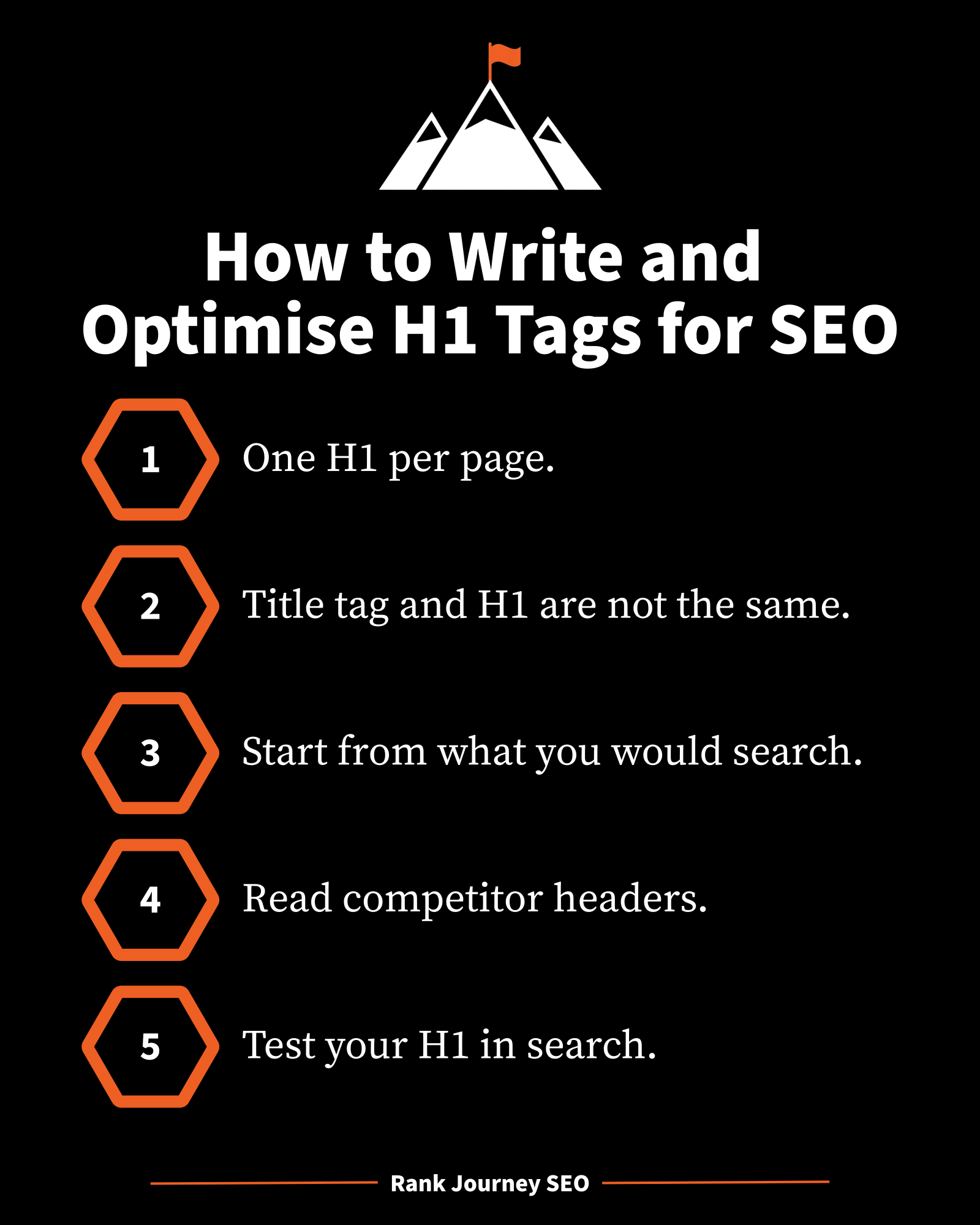
- Only use one H1 header on each landing page on your site.
- Use H2s, H3s, etc thereafter for clarity and page structure.
- Don’t use the same H1 on two different URLs.
- Do not keyword stuff your H1 or make it longer than a short sentence.
- The title tag and the H1 tag are not the same thing.
- To create your SEO header, start with what you would search to find the answer.
- Research your competitors and read their headers and pages to understand what is currently working.
- Brainstorm and create your own H1 header taking inspiration from top performing pages.
- Enter your new H1 header in a search engine and check for similar pages that you saw during your research.
Final Words
Armed with the information in this article, you are now ready to start writing H1 headers that please both your audience and search engines. You don’t need expensive tools and subscriptions to get there. All you need is a little empathy and some investigative work. Soon, you will be well on your way to satisfying both people and spiders with your H1 headers.
If you enjoyed this page then follow Rank Journey SEO on X for more SEO news, guidance, and to be notified when I release more educational content.
About the author
Chris is a search engine optimisation expert and has worked with companies to help grow the organic performance of their site. Chris is the founder and main contributor for Rank Journey SEO. As well as traditional SEO, Chris specialises in creating advanced agentic SEO workflows that drive efficiency and SEO performance.
Disclaimer: This article is for general education only. It is not legal, financial, or professional advice for your website, business, or campaign, and it is not a personal recommendation to implement any tactic on a specific site. Search engines change how they crawl, index, and rank pages. What is accurate at the time of writing may not stay accurate. Results depend on your site, your market, your competition, and how the work is carried out. Nothing on this page is a promise or guarantee of traffic, rankings, revenue, or any other outcome. You are responsible for checking the advice against your own pages, your platform, and current search guidance before you use it. Rank Journey SEO and the author accept no liability for loss or damage arising from use of, or reliance on, this content. If you need advice for a particular site, speak to someone who can review that site directly.